Subnautica 2 Crafting Guide: Recipes, Stations & Priorities
Subnautica 2 crafting is easier when you build a safe loop for oxygen, scanning, repairs, storage, and power instead of memorizing every recipe. This guide separates current Early Access checks from details that may change and turns them into a practical early-game order.
- Search intentRecipes, stations, materials
- First priorityOxygen and a safe return
- Version statusChanging in Early Access
- Co-op noteAgree on storage rules
Quick answer
Use a verification order instead of trying to memorize every recipe
For the current build, check the in-game blueprint, scan result, and crafting screen first. Guides and community lists are useful starting points, but Early Access can change material names, quantities, unlock conditions, and the station used for a recipe.
This page avoids presenting unverified recipe counts as final. It focuses on which crafting category to check, when to craft it, and how to confirm that an older list still matches your build.
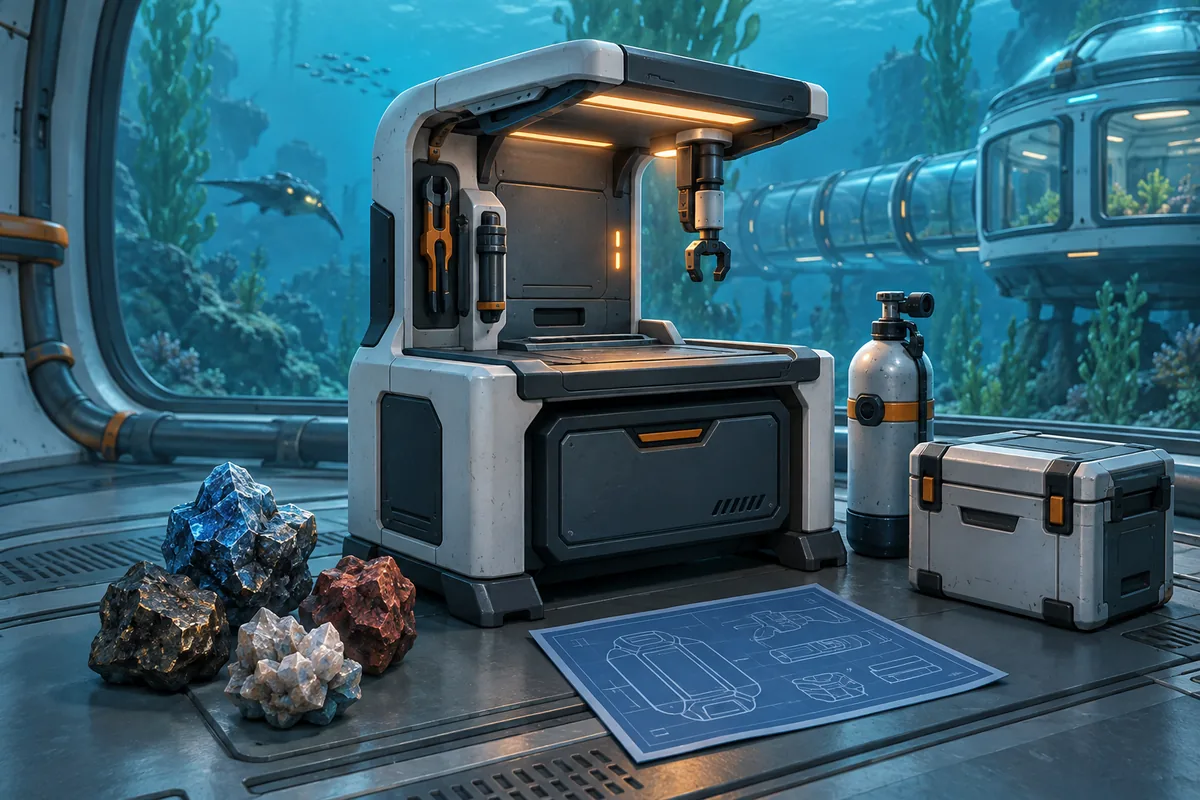
Crafting stations
Separate each station's job before farming materials
When a material is missing, check its station or category as well as its location. If a name or unlock changes, trust the current in-game display.
| Station or category | Main role | Check | Early-game priority |
|---|---|---|---|
| Fabricator | Makes tools, supplies, and exploration items | Recipe, quantity, power, and placement | Oxygen, scanning, and repairs first |
| Processor category | Refines ore and intermediate materials | Ingot amount and unlock state | Process only when a blueprint asks |
| Habitat Builder | Creates rooms, storage, power, and work areas | Build menu, power, oxygen, and return route | Start with a small relay base |
| Scanner and blueprints | Finds creatures, fragments, materials, and devices | Scan target, unlock notice, and objective | Gather information before mass crafting |
| Upgrades and vehicles | Extends depth, movement, storage, and protection | Module name, depth limit, and materials | Review after shallow routes are safe |
Crafting mindset
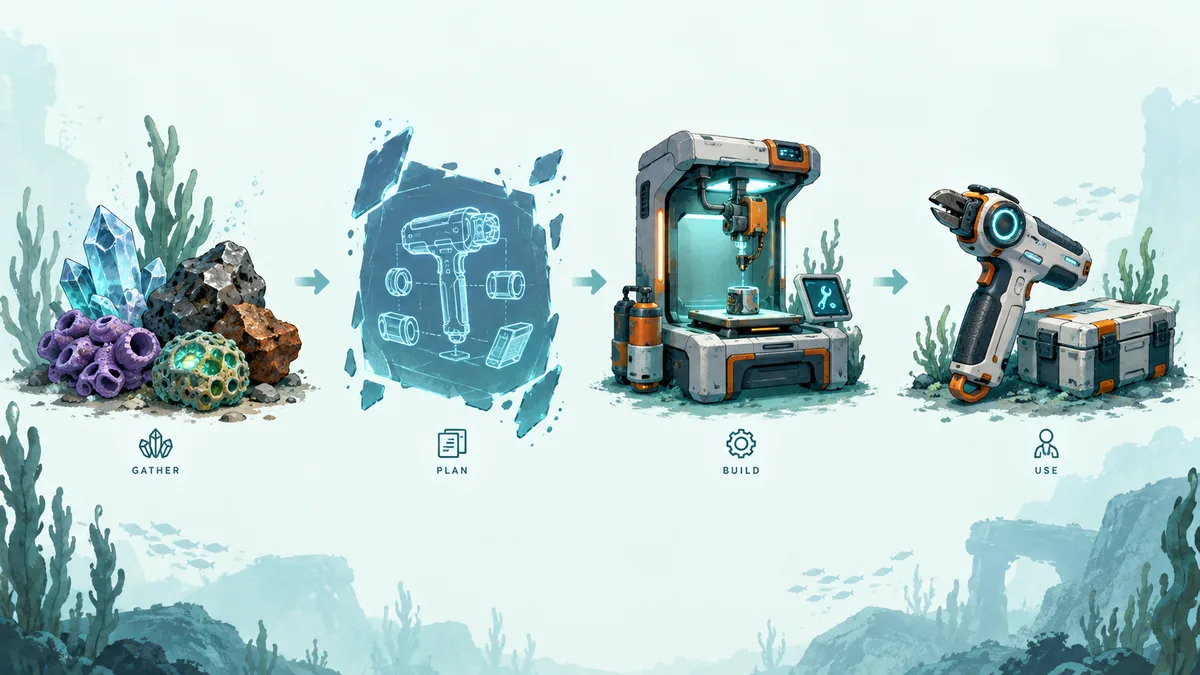
Split the loop into gather, plan, craft, and use
Crafting becomes confusing when every new material is spent immediately. Check the blueprint first, save oxygen and storage for the return, then make the item that shortens the next dive.
This diagram is an editorial explanation of the decision loop, not an in-game recipe screen or official UI screenshot.
Early-game priorities
Craft what increases exploration time and return safety first
As the list grows, choose what makes the next trip safer instead of building everything at once. These are planning priorities, not an official recipe list.
1. Oxygen and scanning
Choose equipment that extends underwater time and reveals blueprints. If oxygen loss costs materials, improve exploration before combat or decoration.
Signal: Can you safely reach and return from the next material site?
2. Repairs and return
Repair tools, beacons, and landmarks reduce deaths and lost routes, making distant fragments easier to bring home.
Signal: Can you explain the way back near danger or darkness?
3. Storage and power
Keep materials out of personal inventory and charging or processing near the base entrance. Clear categories matter in co-op.
Signal: Do you spend too long searching after returning?
4. Depth and movement
Deep equipment is useful but risky without oxygen, repairs, power, and an escape route. Confirm the need on shallow trips.
Signal: Can you explain the deep trip's purpose and return condition?
5. Decoration and bulk processing
Delay decoration and processing without a confirmed use. A small base is easier to reorganize when recipes change.
Signal: Will this craft shorten the next trip or only use storage?
First crafting route
A five-step order that protects your materials
On a first playthrough, a safe repeatable trip is more useful than collecting every recipe in a search result. This order still works after location or quantity changes.
- 1. Choose one objectiveChoose a tool, base part, or vehicle item. If goals compete, choose the one tied to oxygen or repairs.
- 2. Check the recipe firstConfirm names, quantities, and station. An older guide may use different materials or unlock conditions.
- 3. Leave return capacityKeep room for oxygen, food, repairs, and a route marker. Two short trips can beat one overloaded trip.
- 4. Process at base, then recheckProcessing may reveal a requirement or unlock. Confirm the next objective and remaining materials before going deeper.
- 5. Use it before mass-producingTest whether the item improves exploration without hurting power or storage. Note uncertain results before making a second batch.
Reading recipe lists
Separate confirmed recipes from information that is still changing
For Early Access recipes, reproducibility in the current build matters more than list length. Use these groups to decide what to investigate, then confirm quantities in the blueprint and crafting screen.
| Crafting group | Examples or purpose | Priority | Verification point |
|---|---|---|---|
| Survival | Oxygen, food, water, basic equipment | Highest | Does it make the next trip possible? |
| Exploration | Scanning, lights, repairs, beacons | High | Can fragments and materials return safely? |
| Base | Entry, storage, power, work space | High | Are placement and the return route clear? |
| Processed materials | Ingots, refined items, advanced materials | As needed | Will extra processing fill storage for no reason? |
| Deep zones and vehicles | Depth, movement, upgrade modules | Mid to late | Are power, repairs, and escape conditions ready? |
| Special materials | Advanced items such as Axom Ingot | Build-dependent | Does the current screen show the same name and quantity? |
Searches for all crafting recipes or Axom Ingot can build a research list, but may mix old tables, unreleased data, or another build. Check the date, version, and in-game match before treating a row as confirmed.
Storage and co-op
Assign a home to each material before crafting
Keeping every material in your personal inventory leaves less room for oxygen and exploration tools. At base, separate frequent materials, processing stock, deep-zone supplies, and items without a confirmed use. In co-op, agree who holds the next objective instead of assuming storage is shared.
Small entry storage
A drop point for oxygen, repairs, and basic materials after returning. Keep exploration gear easy to retrieve.
Processing box
Group materials for ingots or refining and check the amount before processing.
Deep-zone supplies
Keep depth and movement materials apart from daily crafting so updates are easier to audit.
Co-op sharing rule
Share rare materials, the next objective, and the person replenishing each box through chat or beacon names.
Update check
Decide in five minutes whether a crafting guide is outdated
In Early Access, the publication date is only a clue. Compare the game screen with official updates and treat failed checks as leads, not confirmed recipes.
Does the same name appear on the crafting screen?
Names may differ by language, so compare the icon, description, and materials together.
Is the blueprint or scan unlocked?
A known location does not mean the recipe is available. Confirm the unlock first.
Was it affected by an official patch?
New stations, materials, balance, saves, or co-op fixes justify checking an older list.
Can you reproduce it once?
Record quantity, craft time, power, and storage impact. Mark unreproducible rows as unverified.
Common mistakes
Five crafting habits that waste time or materials
When materials are short, changing the order of use and the return route is often faster than simply gathering more.
Lock an old quantity from search results
Updates and localization can change numbers. Check the current screen before crafting.
Dive with empty return capacity
You may find the material but lack a safe way home. Leave room for oxygen and the route.
Mass-produce before the use is known
Processing without a purpose fills storage. Wait until a blueprint asks for it.
Place the base in the middle of danger
A short material trip is not worth increasingly dangerous returns. Use a safe relay position.
Expect silent sharing in co-op
Without rules for storage, rare materials, and the next crafter, teammates may collect the same item twice.
More guides
Connect crafting decisions to an exploration route
Recipes are most useful when connected to material locations and the route back to base. These guides complete the loop.
Subnautica 2 base building guide
Plan storage, power, oxygen, and base placement around crafting.
Subnautica 2 blueprints guide
Organize unlocks, rooms, and recipe checks.
Subnautica 2 repair tool guide
Review repair fragments, uses, and dive equipment.
Subnautica 2 scanner station guide
Find materials and creatures more efficiently with scans.
Subnautica 2 map and beacon guide
Record material sites and return routes before long dives.
Subnautica 2 multiplayer guide
Coordinate storage, roles, and a shared co-op base.
Frequently asked questions
Subnautica 2 crafting FAQ
Are all Subnautica 2 crafting recipes final?
Not necessarily. Early Access can change quantities and unlocks. Prioritize the in-game screen, blueprints, and official patch notes; use external lists as leads.
What should I craft first in the early game?
Start with oxygen, scanning, repairs, storage, and power in the order that makes the next trip safer. Deep upgrades and decoration can wait.
Where can I verify the Axom Ingot recipe?
Search results may point to Axom Ingot information, but verify quantity and unlocks in your build. A mismatched list is not final.
Are crafting materials automatically shared in base storage?
Do not assume it. Check co-op behavior, separate shared boxes from personal inventory and processing stock, and assign the next objective.
Should I search for a material location or recipe first?
Check the recipe and quantity first, then find the material. Gathering without a purpose can fill storage and reduce oxygen for the return.
Can I keep using an old crafting table after an update?
Only after comparing names, quantities, station, and unlocks with the current build. Return to the game screen when it cannot be reproduced.