What it does
A Scanner Station is a route-planning tool, not a magic map
The useful mental model is simple: the station shortens the search phase, while your dive confirms the target. It is most valuable when a material is close enough to justify a short trip, when a temporary base sits near a new biome, or when a co-op group needs one shared destination instead of four different guesses. It does not remove the need for oxygen planning, beacon names, or a safe return line.
Select a target
Choose the material or point-of-interest category that matches the job in front of you. If the list is empty, check power and the current build before assuming the module is broken.
Read a signal
The station turns a broad search into a direction and a local destination. Use the result as a lead, not as proof that every marker is reachable or still present after a patch.
Build a repeatable route
Carry a Beacon, record the biome edge, and return through the same safe corridor. A station becomes more useful every time you turn one discovery into a named supply loop.
Respect Early Access
Resource lists, detection behavior, recipes, and range can change. Keep the date of your test in your notes and compare it with official updates before correcting a new player.
A Scanner Station is not the same as the handheld Scanner or Bioscanner. The handheld tool confirms objects at close range and supports scans during exploration; the station helps a base search an area. This page covers the station first and links to the existing repair, creature, map, and base guides for the surrounding tasks.
Unlock and placement
Unlock, craft, and place the Scanner Station safely
Current guides describe a fragment-based unlock and a craft cost of one System Chip, three Titanium, and one Wiring Kit, with the station drawing power from the base. Because Subnautica 2 is in Early Access, confirm the live build before treating that list as final. The important setup decision is placement: a station near the right resource corridor is more useful than a station in a beautiful but isolated room.
- 1. Confirm the blueprintLook for the Scanner Station entry in the current build menu or PDA after scanning the required fragment. If the entry is absent, do not substitute a different Scanner or assume the game has removed the feature; check the current update notes first.
- 2. Gather a small reserveUse the reported System Chip, Titanium, and Wiring Kit recipe only as a current-build checkpoint. Bring one extra repair or power option when the base is far from safety, because a failed trip costs more than one missing ingredient.
- 3. Place it inside a powered basePut the station where you can reach it after returning from a dive and where the base power loop is easy to inspect. Avoid burying it behind storage or placing it at the end of a room you rarely enter.
- 4. Name the outpostBefore scanning, give the base a route name such as Kelp Edge Relay or Deep Resource Stop. A clear beacon and a clear base name make station results useful to a co-op partner who did not perform the original scan.
The recipe and availability above are useful current-build guidance, not a promise for every future patch. If a player cannot find one ingredient, tell them to check the live build and official update notes instead of sending them to a guessed location.
How to use it
How to use the Scanner Station in Subnautica 2
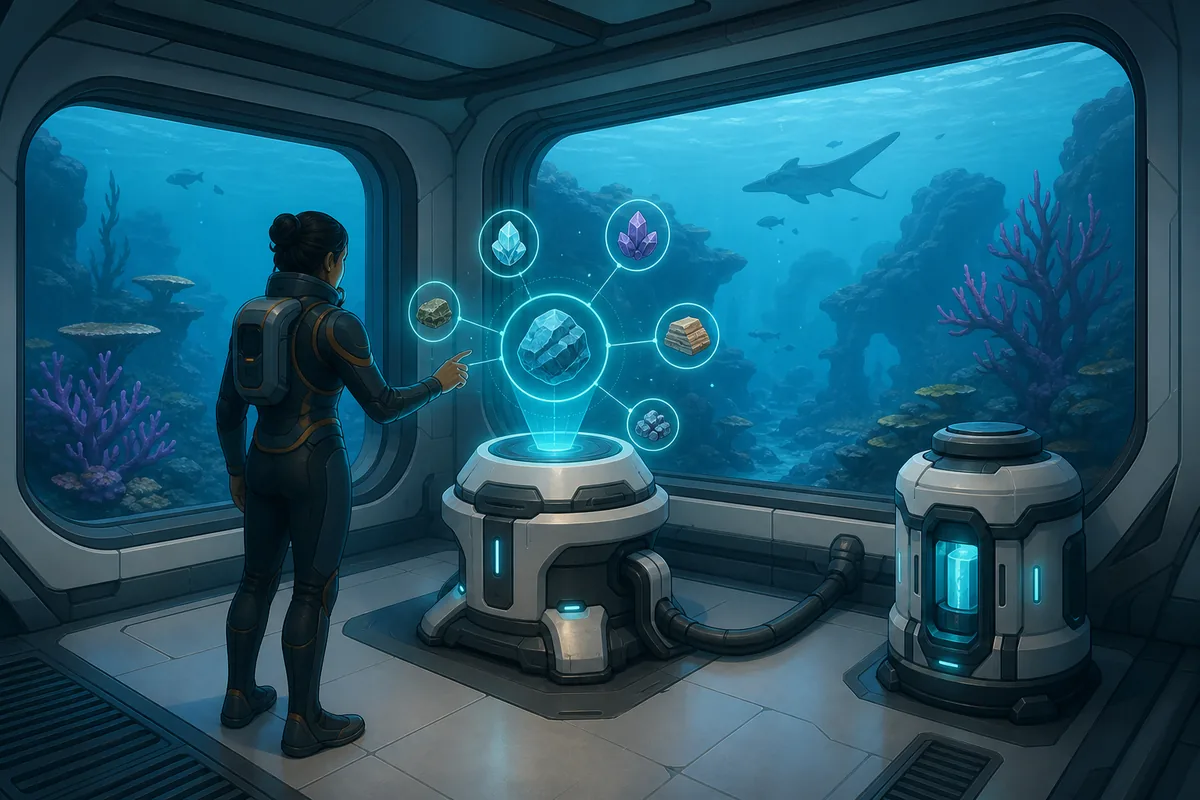
Follow the same order every time. The sequence prevents a common failure mode in which a player reads a promising marker, swims too far with no beacon, and then cannot tell whether the station was wrong or the route was simply unsafe.
| Step | What you should see | Best action |
|---|---|---|
| 1. Power | The base and station respond normally. | Check the base power source before opening the scan list. |
| 2. Select | A resource or point-of-interest category is available. | Choose one target instead of starting with a vague all-purpose search. |
| 3. Read | The station provides a local result or marker. | Note the direction, nearby biome, and distance impression before leaving. |
| 4. Mark | The target is outside the base but still within a planned route. | Carry a Beacon and name it after the material, biome, or danger. |
| 5. Verify | The water route contains the target or a changed terrain state. | Use the handheld Scanner to confirm the object and record patch-sensitive differences. |
Range and outposts
What does scanner station range mean?
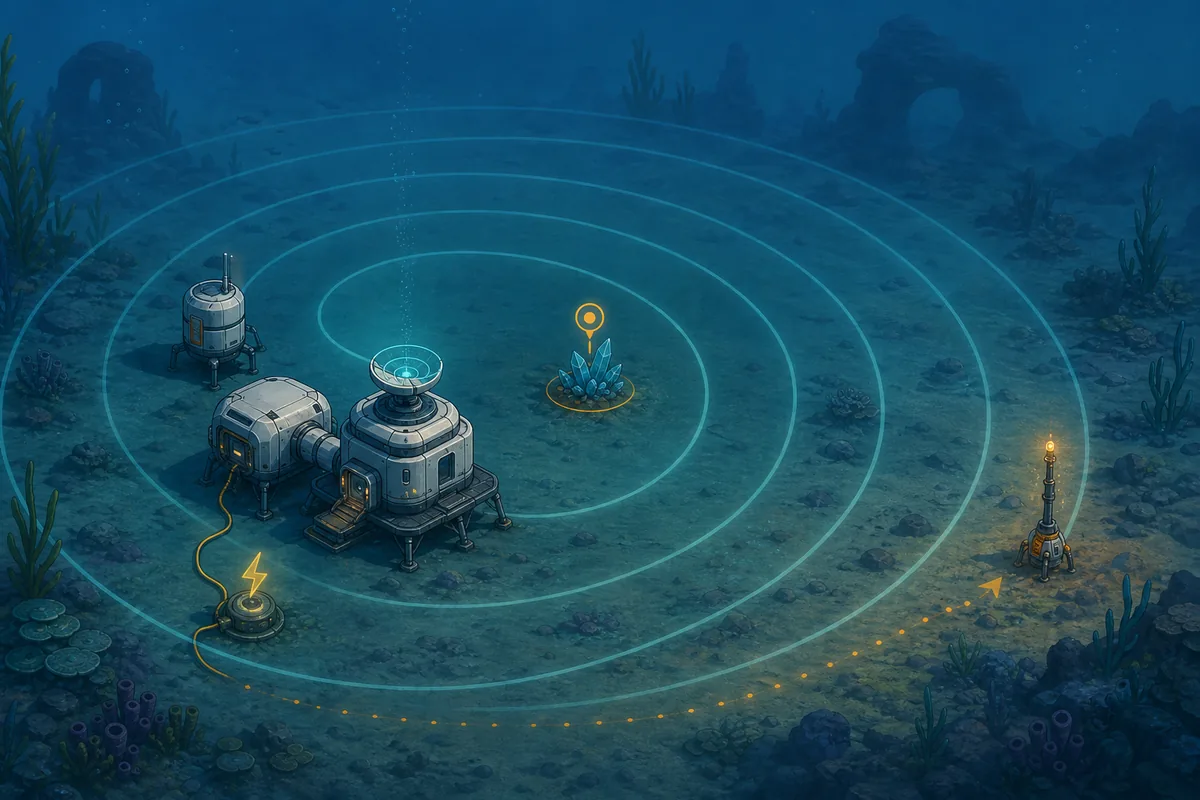
Community guides currently describe a working radius of about 300 m. Use that number as a planning estimate, not a permanent coordinate rule. Range questions are really route questions: a signal can be technically close while the actual path is blocked by depth, terrain, hostile creatures, or a lack of oxygen. A good station lets you plan a short, recoverable trip instead of chasing the farthest marker on the list.
- Start with a safe testChoose one common nearby material and compare the station result with a short swim. This gives you a local baseline without risking a valuable deep-dive loadout.
- Treat 300 m as an estimateIf a guide reports roughly 300 m, use it to decide whether a small relay base could help. Do not infer that every biome, vertical route, or patch will use the same radius.
- Use temporary bases deliberatelyA second powered outpost can be more useful than forcing one home base to cover every direction. Place it near a safe oxygen loop, storage need, or resource frontier, then retest the station from there.
- Mark the edge, not just the targetA Beacon at the safe boundary tells you where to turn back. The target marker may move or disappear after a patch, but the route edge and return habit still protect the run.
Use the station to prioritize a search, then confirm the route in-game. The article's range figure comes from current guide reporting; official updates remain the better source when detection behavior or resource placement changes.
Choose the right tool
Scanner Station vs handheld Scanner and Bioscanner
Search results mix these terms because all three relate to finding or identifying things underwater. Separating them keeps the page useful and prevents a player who wants a base module from landing on a recipe for a handheld upgrade.
| Tool | Primary job | Best time to use it | Main limit |
|---|---|---|---|
| Scanner Station | Search a local area from a powered base. | Before a resource run or when planning an outpost. | It is tied to base power, range, and current detection behavior. |
| Handheld Scanner | Identify objects, fragments, creatures, and scan targets during a dive. | At the target, when you need confirmation or a blueprint scan. | You must be close enough and still have oxygen, charge, and a safe route. |
| Bioscanner | Support a stronger handheld scanning workflow after its upgrade path is available. | When the current build and recipe justify a deeper scanning loadout. | Its upgrade materials and behavior are patch-sensitive; it does not replace a base station. |
| Map and Beacon | Remember where the route, resource, or danger is located. | After every useful station result or discovery. | A marker records your plan but does not prove the target is still unchanged. |
Troubleshooting
Scanner Station power and detection problems
When the station appears empty, begin with the cheapest explanation. A base power problem, a target outside the local search area, a changed patch state, and a terminology mix-up are all more common than a permanently broken module.
No scan list or blank screen
Check that the base has power, the module was actually placed, and the current build still exposes the same target categories. Restart the room or reload only after recording what the station showed.
A marker does not match the water
Treat the result as a lead. Terrain, resource placement, and detection behavior can change in Early Access, so verify the object with the handheld Scanner and note the patch date.
The target is too far away
Use the reported 300 m range as a rough test, then consider a temporary powered outpost. Do not swim until oxygen is nearly empty just to prove a marker exists.
A co-op partner cannot find the result
Share the base name, target category, beacon name, biome edge, and safest route. The station's information is much less useful when it is only stored in the original player's memory.
You meant the handheld Scanner
If the goal is to scan a creature, fragment, or object directly, use the handheld Scanner guide path instead. A station can shorten the search but cannot replace the close-range scan.
Early Access checks
Recheck Scanner Station details after updates
Subnautica 2 is an evolving Early Access game. The official Adaptive Measures update specifically discusses scanner detection fixes, which is a useful reminder that a guide can be directionally correct while an old marker, range assumption, or recipe becomes stale.
Record the date
Write the build date beside your recipe, range test, and target list. This makes it clear which parts are confirmed in your own run and which parts came from an older guide.
Prefer first-party update notes
Check Unknown Worlds or the official Steam news feed before changing a route because a community clip says the station is broken. A patch may fix detection without changing the craft path.
Keep the HTML answer cautious
Use phrases such as reported range, current guide data, and verify in the live build. Do not turn an Early Access observation into a permanent promise.
Retest after resource changes
If a patch mentions biome, resource, scanning, or power changes, test one known nearby material and one deeper target before updating your route table.
FAQ
Subnautica 2 Scanner Station FAQ
How do you use the Scanner Station in Subnautica 2?
Place it in a powered base, select a resource or point-of-interest category, read the local result, then take a Beacon and enough oxygen to verify the signal. Use the handheld Scanner at the destination.
What is the Scanner Station range in Subnautica 2?
Current community guides report roughly 300 m. Treat that as an Early Access planning estimate, test it against your own base and patch, and do not assume vertical terrain or future updates will behave identically.
Is the Scanner Station the same as the handheld Scanner?
No. The station searches from a powered base, while the handheld Scanner identifies and scans objects at close range during a dive. The station helps you choose a destination; the handheld tool confirms it.
Why is my Scanner Station not showing resources?
Check base power, placement, the selected category, target distance, and the current build. If those are correct, compare the behavior with official update notes before assuming the module or your save is permanently broken.
Can the Scanner Station find rooms or points of interest?
Search demand includes rooms and points of interest, but target categories and labels can change. Use the station's live list, then confirm the location with a beacon and the handheld Scanner rather than relying on an old category name.
Does the Scanner Station have a confirmed upgrade path?
Do not assume it does. Similarweb demand includes scanner upgrades, but that term can refer to the handheld Scanner or Bioscanner. Confirm any station upgrade in the current build and official notes before publishing a recipe.
Should I build more than one Scanner Station?
Only when a second powered outpost serves a different route or resource frontier. A small relay base can make range practical, but building duplicates before the first station is useful usually wastes materials and power.