Is Subnautica 2 Multiplayer? Co-op Guide for Player Count, Setup, and Crossplay
Yes. Subnautica 2 is built with online co-op alongside solo survival. This guide explains what that means in practice, what to verify on Steam or Xbox before you buy, and how to prepare a group for the first dives without losing the lonely survival tension that defines the series.
- ModeSolo and online co-op
- Main intentCo-op setup and limits
- Best sourceOfficial store pages
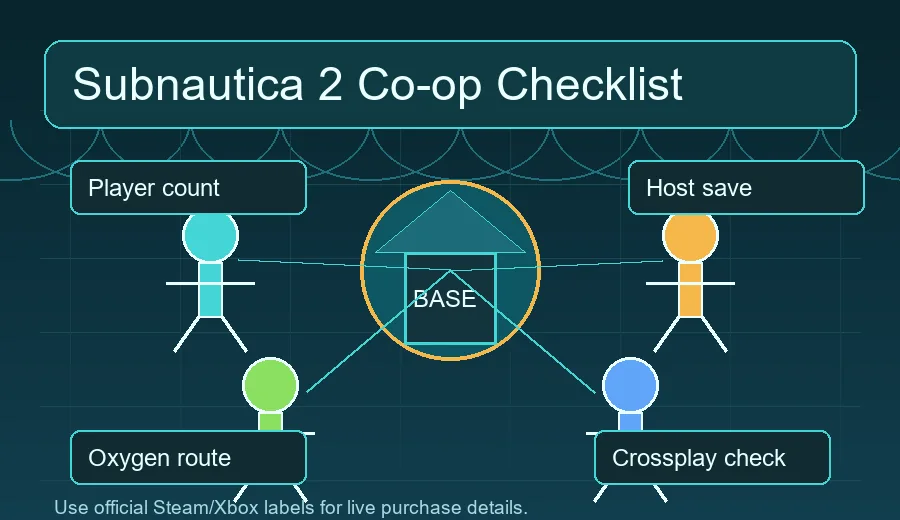
Quick Answer
Subnautica 2 Has Multiplayer, But Treat Store Details as the Source of Truth
Subnautica 2 supports online co-op, so the simple answer to “is Subnautica 2 multiplayer?” is yes. The important follow-up is that multiplayer in a survival game is not just a button on the main menu. Players need to know the supported platforms, how many people can join, whether friends can play across PC and Xbox, who owns the save, and what happens when a group explores different depths at the same time. Those details can change during Early Access, so use this guide as a planning checklist and confirm live purchase labels on the official Steam or Xbox page.
The safest interpretation is: plan for online co-op, avoid assuming every cross-platform or shared-save feature is present, and check the current store description before organizing a long group playthrough.
Status Matrix
Multiplayer Details to Check Before You Start
Use this table before buying for a group or scheduling a shared Early Access playthrough.
| Topic | Current reading | What to check |
|---|---|---|
| Co-op support | Online co-op is expected and is one of the biggest differences from the earlier Subnautica games. | Check the current Steam and Xbox store labels for online co-op wording. |
| Player count | Most players searching this topic want to know whether the group size supports a full squad or a smaller survival team. | Confirm the live store player-count label before purchase because Early Access pages can be updated. |
| Crossplay | Do not assume PC and Xbox friends can always join each other until the official store or developer notes say so clearly. | Look for cross-platform multiplayer, Xbox network, or platform-specific notes. |
| Host and saves | Survival co-op often depends on a host world, shared progression rules, and version compatibility. | Before a long session, decide who hosts and test whether everyone can rejoin after a restart. |
| Mods and private changes | Early Access modding or config changes can break compatibility between players. | Keep every player on the same game version and avoid mismatched mods for the first run. |
Player Count
How Subnautica 2 multiplayer works for up to four players
The official Steam page describes Subnautica 2 as optional online co-op with up to three friends. Plan around a four-player party, then verify store labels before a mixed-platform session.
| Question | Best current answer | Action for your group |
|---|---|---|
| How many players? | Up to four total players: you plus three friends, based on Steam wording. | Invite the full group only after everyone confirms the same build and platform status. |
| How does co-op work? | It is optional online co-op built around shared exploration, base planning, scanning, and survival logistics. | Choose one host, set a first-base meeting point, and test reconnects before deep routes. |
| Is there cross-platform multiplayer? | Steam currently lists cross-platform multiplayer, but platform combinations still deserve a live store check. | PC and Xbox groups should verify the exact storefront and account path before buying. |
| Do multiplayer mods matter? | Modded sessions can break when Early Access updates change networking or save behavior. | Use clean saves for the first co-op run and keep mod tests separate. |
Setup
How to Prepare a Co-op Session
A good first session is less about rushing deeper and more about preventing oxygen mistakes, inventory confusion, and disconnected goals.
Confirm platform and version first
Before anyone buys, compare the Steam and Xbox store pages, check the supported platform list, and make sure all players understand whether the session depends on the same storefront, account network, or Early Access branch.
Choose a host and a backup plan
Pick the player with the most stable connection and the best chance of being present for future sessions. If the game uses a host world, the group should avoid progressing important story or base-building milestones when the host is absent.
Create a shallow-water meeting routine
Start every session near a known base, beacon, or safe return point. New players should learn oxygen timing and inventory handling before the team splits into deep routes.
Split jobs without splitting information
One player can scan fragments, another can gather resources, and another can mark routes, but the whole team needs shared notes about threats, entrances, and base locations. Co-op is strongest when exploration knowledge is not trapped with one diver.
Test reconnects early
Do a short disconnect and reconnect test before a serious expedition. It is better to discover save, invite, or network issues while everyone is close to the starter area.
Team Roles
Best Co-op Roles for the First Hours
Subnautica 2 is still an ocean survival game, so multiplayer should make the team more deliberate rather than reckless. The best groups divide responsibilities while keeping a shared picture of the map. A scanner-focused player helps unlock recipes and identify creatures. A logistics player keeps food, batteries, and storage organized. A route scout places beacons and reports danger zones. A base planner decides where the team can safely recharge, craft, and regroup before deeper dives.
Playbook
A Practical Co-op Playbook for the First Week
Use these rules when your group moves from “does it have multiplayer?” to an actual shared world.
Before buying as a group
Have every player open the same official store page and compare platform, online co-op, controller, language, and system-requirement labels. If one player is on Xbox and another is on PC, do not treat a Reddit answer or old video as enough proof. The cost of a wrong assumption is higher than the time it takes to verify the current store page.
First session goal
The first two hours should produce a safe base marker, a shared storage habit, a return-route rule, and one short reconnection test. Avoid splitting into deep routes immediately. A group that learns the shallow loop together will usually progress faster than a group that chases four separate discoveries.
After major updates
When Early Access receives a larger patch, check whether saves, networking, balance, or player-count labels changed. Plan a short maintenance session before resuming a serious expedition, especially if your team uses different platforms or has been away for several weeks.
Keep the Subnautica mood
Co-op can make the ocean feel safer than intended. Preserve the survival tone by limiting long voice chatter in unknown biomes, sending one scout ahead, and regrouping around beacons instead of moving as a noisy cluster all the time.
Troubleshooting
Common Multiplayer Problems to Rule Out
Most group failures come from mismatched expectations, platform confusion, or connection assumptions rather than the survival systems themselves.
| Problem | Likely cause | Practical fix |
|---|---|---|
| Friend cannot join | Different platform, account network, game version, privacy setting, or invite path. | Compare versions, restart both clients, try a fresh invite, and verify whether cross-platform play is officially supported. |
| Save is unavailable | The world may belong to the host or a specific account. | Have the original host start the session and document who owns the main save before the group progresses. |
| Players get lost quickly | No shared beacon plan or meeting routine. | Mark the starter base, resource zones, danger edges, and return route before splitting up. |
| One player falls behind | Uneven access to tools, batteries, food, or oxygen upgrades. | Use a shared storage checklist and craft duplicate survival essentials before deeper trips. |
| Session feels less scary | The team is moving as a loud group and reducing the series' isolation. | Assign quiet scouting jobs, limit voice chatter during unknown dives, and keep some solo exploration moments. |
Buy Decision
Should Your Group Play Co-op at Launch?
Use these scenarios to decide whether to start immediately or wait for clearer multiplayer data.
Start now if the group accepts Early Access friction
Play near launch if your friends enjoy testing systems, reporting issues, adapting after patches, and discovering routes together. The best launch-week group is flexible: it treats disconnects, balance changes, missing clarity, and repeated starts as part of the experiment rather than as a broken promise.
Wait if you need a stable shared campaign
If your group only meets once a week and wants a smooth long-term save, waiting can be smarter. Early Access can change recipes, networking, performance, creature behavior, or world balance. A later build is usually better for players who dislike losing momentum to troubleshooting.
Be careful with mixed-platform groups
Groups that include both PC and Xbox players should make crossplay the first purchase question. If the official wording is unclear, buy only after one player verifies the exact platform combination or wait for a developer update. This is more important than general co-op support.
Pick a save owner deliberately
A co-op survival world can become the group’s main base, route map, and story record. Choose a host or save owner who will keep playing, communicate patch timing, and avoid progressing the shared world alone unless the group agrees.
Advanced Checks
Advanced Checks for Long Co-op Runs
These checks matter once the group moves beyond the first evening and starts treating the world as a shared campaign.
Latency and region planning
If players are spread across regions, test travel, crafting, inventory moves, creature encounters, and base building while everyone is online. A connection that feels fine in the menu can still make dangerous dives frustrating. Put the player with the most stable route to everyone else in the host role, and avoid starting deep expeditions when one member is already seeing lag or delayed item updates.
Shared documentation habit
A small shared note is more useful than a perfect map in the first week. Record beacon names, material pockets, creature danger zones, entrances, base modules, and unfinished crafting goals. This prevents a common co-op problem: one player remembers where everything is, but the rest of the team cannot continue when that player misses a session.
Spoiler and story boundaries
Before the group starts, agree on how much story discovery should be shared in voice chat. Some players want every scan read aloud, while others want to discover logs and locations at their own pace. A simple rule such as “mark story leads but do not explain them until everyone arrives” keeps co-op from flattening the solo sense of mystery.
Session ending checklist
End every session at a safe base, with batteries charging, food and water handled, important materials stored, and the next goal written down. This sounds mundane, but it is what turns multiplayer from a chaotic hangout into a campaign that can survive schedule gaps and Early Access patches.
Performance settings as a team rule
Agree on conservative graphics and network settings before a long dive rather than debugging after the first crash. If one member has weaker hardware, let that player test base interiors, water effects, and creature-heavy areas early. A stable group experience is more valuable than one player running higher settings while everyone waits through reconnects.
When not to split the team
Splitting up is efficient only after the group has spare oxygen, marked return routes, and a shared base. Do not split during first contact with a new predator, first visit to a deep biome, or immediately after a patch. In those moments, a slow coordinated dive is safer and usually produces better information.
Limitations
What Co-op Does Not Automatically Solve
Multiplayer makes discovery easier to share, but it can also magnify normal survival mistakes.
Oxygen mistakes still matter
Having friends nearby does not remove depth pressure, low visibility, or bad route planning. A group can run out of oxygen together if nobody watches the return path.
Progression can become uneven
If one player scans everything while another mostly gathers materials, the second player may not understand new recipes or danger levels. Rotate jobs during the first sessions.
Early Access can change rules
Store labels, connection behavior, balance, content, and save compatibility can evolve through updates. Recheck official notes after major patches.
Crossplay is a purchase decision
If your group mixes PC and Xbox players, crossplay support is not a minor detail. Confirm official wording before everyone buys.
Next Steps
Where to Go After Checking Multiplayer
If your group is ready, move from the multiplayer question to release status, official store checks, and early route planning.
FAQ
Subnautica 2 Multiplayer FAQ
Is Subnautica 2 multiplayer?
Yes. Subnautica 2 includes online co-op alongside solo play, so players who wanted an official multiplayer Subnautica experience should watch the store labels and developer notes closely.
Can I still play Subnautica 2 alone?
Yes. Co-op does not replace solo survival. Players who prefer isolation, slower exploration, and self-directed base planning can still treat the game as a solo ocean survival adventure.
How many people can play Subnautica 2 multiplayer?
Check the live official store page before buying for a group. Player-count labels can be updated during Early Access, and the exact limit matters if you are planning a full squad.
Will Subnautica 2 have crossplay?
Do not assume crossplay unless the official Steam, Xbox, or developer wording confirms it for your platforms. Mixed PC and Xbox groups should verify this first.
What should a co-op group do first?
Confirm versions, choose a host, create a safe shallow-water meeting point, test reconnects, and divide jobs such as scanning, logistics, scouting, and base planning.
How does Subnautica 2 multiplayer work?
Subnautica 2 multiplayer is optional online co-op. The practical workflow is to pick a host, meet at a safe base, divide scanning, resources, scouting, and building jobs, then keep everyone on the same build after updates.
How many players can join Subnautica 2 co-op?
The current Steam wording says you can play online co-op with up to three friends, which means four players total. Check the live store page before organizing a group purchase.