
Search intent
What players mean by Subnautica 2 vehicles
The phrase Subnautica 2 vehicles mixes several questions: which vehicles exist now, how many are available, how to get one, and what may arrive in a later update. Those questions should not be answered with one oversized list. A useful guide first locks the current build, then explains the one vehicle a player can actually plan around, and finally marks future information as unconfirmed until it appears in an official store update, developer announcement or in-game blueprint.
Current list
A list is only useful when every entry has a status. This page calls the Tadpole currently verifiable and leaves future vehicles or variants out of the confirmed count instead of turning concept art or forum guesses into a promise.
How to get vehicles
Vehicle access is a progression problem, not just a location lookup. Check the Repair Tool, scans, blueprints, Fabricator state, power supply and the live interaction prompt before travelling to a damaged or incomplete vehicle.
How to use them
A vehicle extends an expedition, but it does not remove survival decisions. Depth, power, parking, storage, creature pressure and the return route still decide whether a trip is safe.
Official Steam media and current in-game evidence are stronger than a scraped list. If a later patch adds a vehicle, this page should update the status table and link to the exact announcement rather than silently expanding the roster.
Current vehicle list
Which vehicles are currently verified?
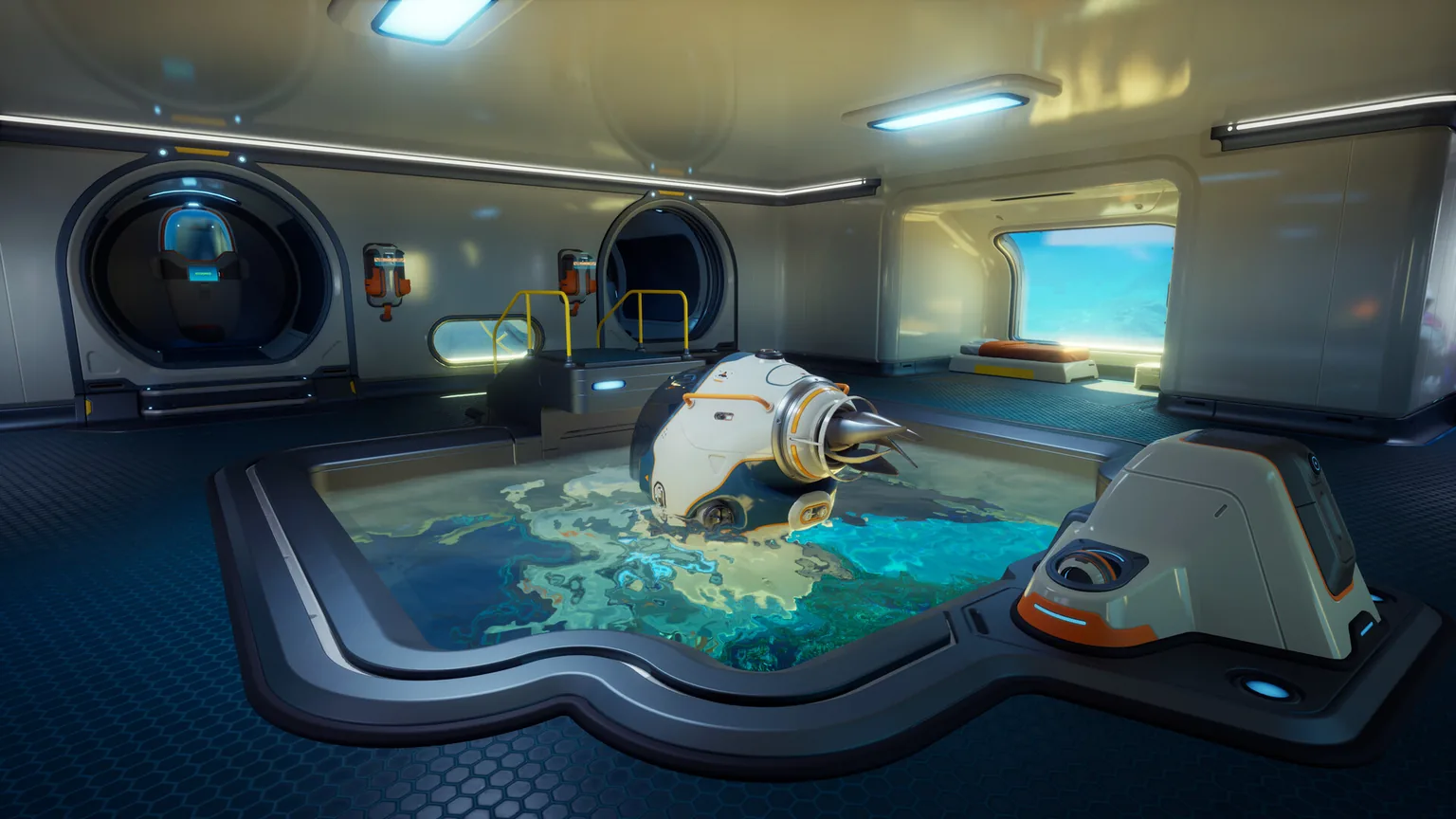
For the current guide boundary, the Tadpole is the vehicle entry that can be described with confidence. The table deliberately uses an evidence column so readers can tell the difference between a vehicle that can be planned around now and a future name that has not been confirmed by the sources used for this page.
| Vehicle or status | Availability | Practical role | Evidence boundary |
|---|---|---|---|
| Tadpole | Currently verifiable | Compact personal submersible for scouting, supplies and deeper route staging | Official Steam media plus current gameplay context; see the detailed Tadpole guide for repair and modules |
| Other vehicles or variants | Not counted as confirmed here | Future, patch-dependent or community-discussed possibilities | Add only after an official store update, developer announcement or reproducible current-build evidence |
Access route
How to get and activate a Subnautica 2 vehicle
The exact unlock order can move with Early Access patches, so use the current blueprint and objective state as the final authority. The repeatable route below explains the decisions that matter even when a recipe or fragment location changes.
- 1. Read the current objective and blueprint stateBefore travelling, check whether the vehicle is damaged, incomplete, locked behind a scan, or waiting for a Fabricator recipe. Do not rely on a screenshot of an older build when the game shows a different prerequisite.
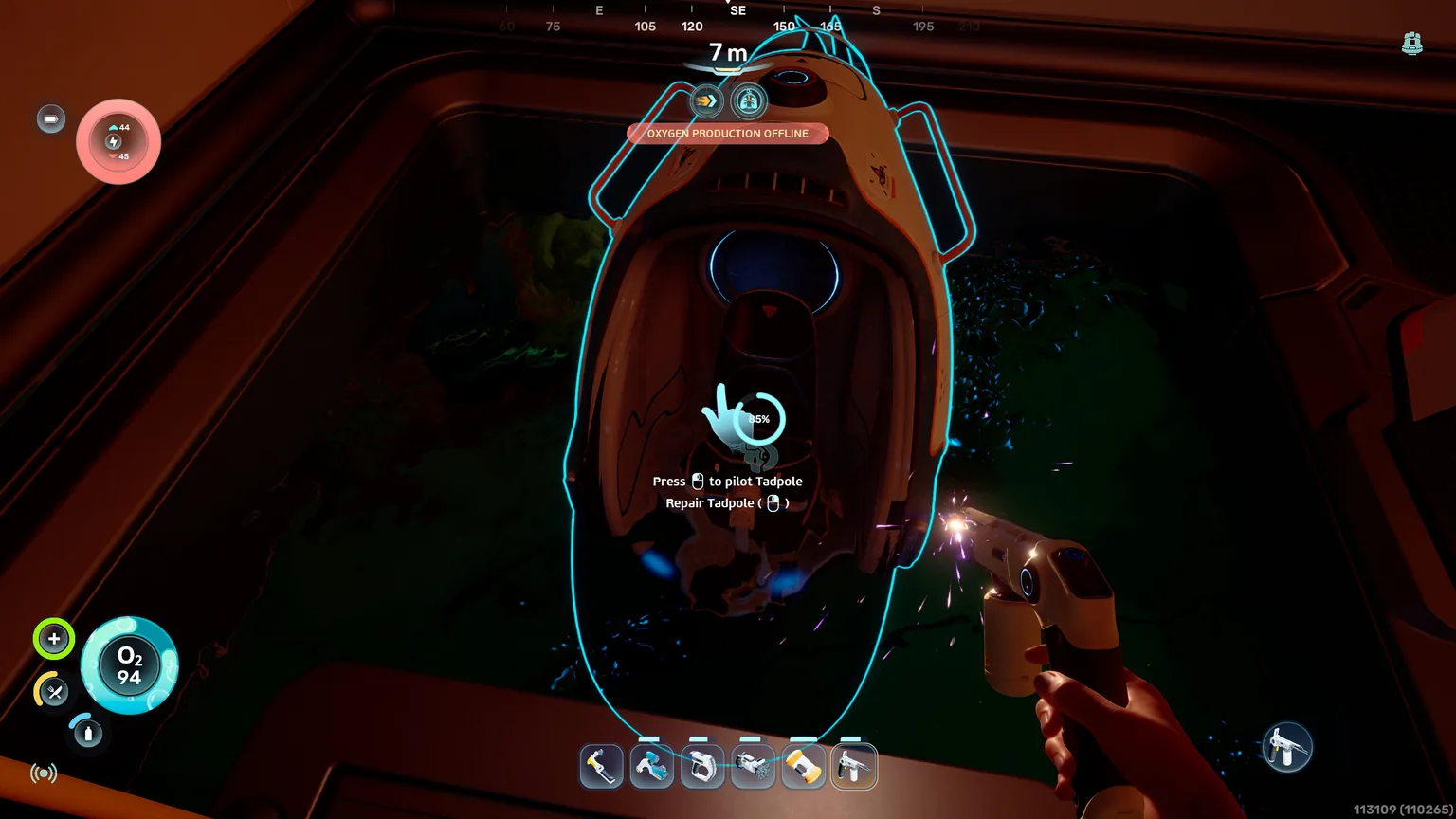
- 2. Secure the Repair Tool and powerBring a working Repair Tool with enough charge, plus the power or charging option available in your progression. A vehicle repair interaction is a poor place to discover that the tool is empty.
- 3. Clear the approachCarry enough oxygen, identify a retreat line and check nearby creatures before starting a long interaction. Mark the route if the vehicle is outside your base loop.
- 4. Repair or complete the vehicleAim at the highlighted section or use the active interaction shown by the current build. If the prompt is missing, move around the hull, check tool charge and confirm that the prerequisite really is complete.
- 5. Test it in shallow waterEnter, check power and health, make a short loop and return to a visible parking point. The first test should reveal control, storage and depth problems before a long expedition does.
Verified vehicle
Where the Tadpole fits in the vehicle system
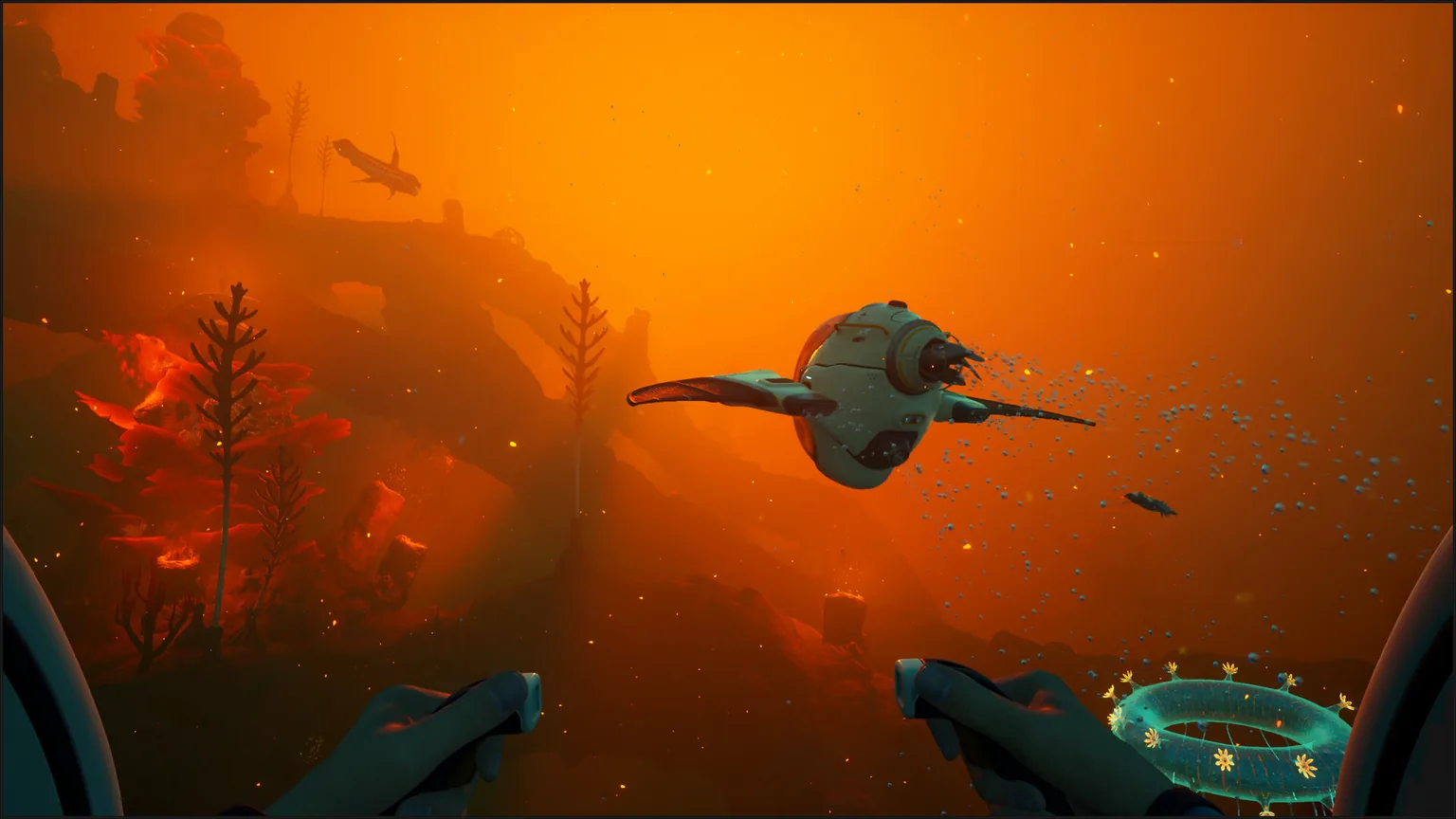
The Tadpole is the page's practical anchor. It turns repeated swims into a mobile scouting and supply loop, but it is still limited by power, damage, parking geometry and depth. This vehicle overview should help you decide when a Tadpole trip makes sense; the dedicated guide handles the detailed repair, storage and module questions.
Preparation
Vehicle loadout and upgrade priorities
There is no single best vehicle loadout for every expedition. Start with recovery items, then match modules and storage to the route. A vehicle that carries more ore but cannot return safely is not a successful upgrade.
Repair and power
Reserve a charged Repair Tool and the power replacement or charging method supported by the current build. Keep these separate from ordinary loot so a full storage compartment cannot displace them.
Depth before convenience
When the next objective crosses a shelf edge, depth capability usually matters more than a small convenience upgrade. Read the live vehicle display after installing a module instead of memorizing a fixed number.
Storage with a purpose
Leave space for route materials, but keep one group of slots for water, food, beacons, tools and emergency power. The right capacity is the amount that keeps the return plan intact.
Beacon and navigation kit
Name beacons by objective and return direction. The vehicle marker tells you where the vehicle is; it does not tell you which cave mouth, shelf or creature corridor is safe.
Practical use
Plan a vehicle route that you can recover
A good vehicle route has a purpose, a turn-back rule and a known parking point. Treat the vehicle as a staging tool rather than a teleport. Short repeatable loops build more reliable progress than one overloaded dive into an unmarked biome.
Base to resource cave
Start with a shallow route, mark the cave entrance, collect one priority material and return before storage or power becomes critical. Repeat the loop after the first successful test.
Wreck or blueprint approach
Park outside tight geometry, carry the Scanner and Repair Tool, and leave room for the objective. If the vehicle cannot turn cleanly, it is often safer to finish the last section on foot.
Depth staging
Approach a depth boundary slowly, identify a safe shelf and keep the vehicle inside its live limit. Mark the ascent and return line before moving on to the deeper objective.
Co-op expedition
Assign one player to vehicle status, share beacon names and agree on a return condition. A group should never assume another player checked power, damage or parking.
Keep it current
How to verify future vehicles during Early Access
Searches for all vehicles and upcoming vehicles often rise after a trailer, patch or community discussion. That does not make every name or number publishable. Use a small evidence ladder so the page remains useful without overstating what the current build contains.
| Signal | What to check | Safe wording |
|---|---|---|
| Official store or developer update | Whether the source names a vehicle, gives a release window or shows a playable feature | Officially announced / shown in official media |
| Current in-game blueprint or tooltip | Whether the item exists in the same build the reader is playing | Currently visible in the tested build |
| Third-party list or forum post | Date, source context and whether the claim can be reproduced | Community report; not counted as confirmed |
FAQ
Subnautica 2 Vehicles FAQ
What vehicles are in Subnautica 2?
The Tadpole is the vehicle entry this guide can verify from the current official material. Other vehicle names or variants should be treated as unconfirmed until an official update or current-build evidence supports them.
How many vehicles are in Subnautica 2?
Do not use a fixed final number unless the current official sources publish one. Early Access can add or change vehicles, and a clean answer should distinguish the currently verified entry from future or community-discussed possibilities.
How do you get vehicles in Subnautica 2?
Follow the current blueprint, scan and objective requirements, then bring the Repair Tool and enough power to the vehicle interaction. Complete a short test route before committing to a deep expedition.
How do I attach vehicle fabricators or modules?
The exact interface and recipe can change. Check the live vehicle slot, Fabricator state and current module tooltip first. If the game does not show an attachment prompt, do not infer that a third-party guide's older control scheme still applies.
Is the Tadpole the only vehicle right now?
It is the only vehicle this page counts as currently verified from the sources reviewed. That wording is intentionally narrower than claiming that no other vehicle can ever appear in a future Early Access update.
Where should I read about Tadpole upgrades and depth?
Use the dedicated Tadpole guide for repair, storage, depth modules, route planning and troubleshooting. This page keeps the broader vehicle list and evidence boundary separate so the two intents do not compete.