Subnautica 2 System Requirements: Minimum and Recommended PC Specs
Use this guide to compare your PC against the official Steam requirements, understand what the CPU and GPU targets mean, and decide whether to buy, upgrade, or wait for more Early Access performance reports.
- RAM12 GB / 16 GB
- GPUGTX 1660 -> RTX 3070
- Storage50 GB

Quick answer
Can your PC run Subnautica 2?
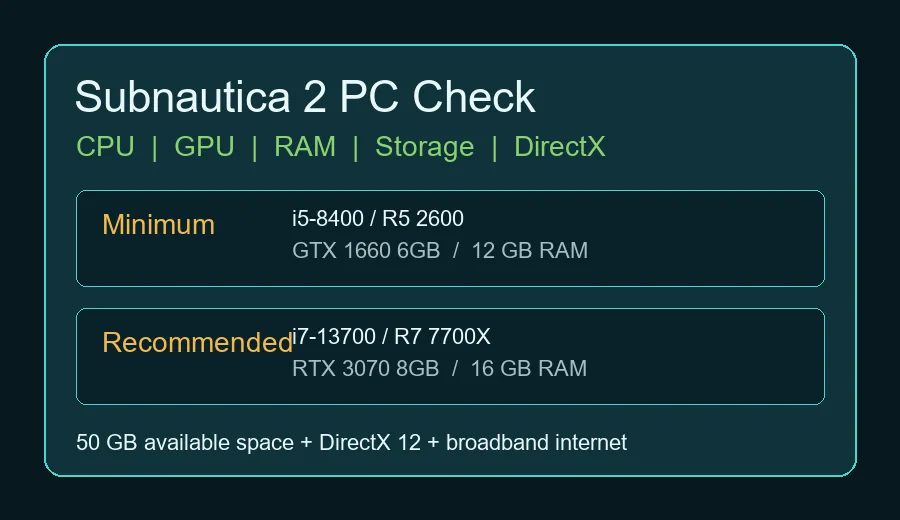
If your PC has a six-core class CPU, 12 GB of RAM, DirectX 12, 50 GB of free storage, and a graphics card close to a GTX 1660 6GB or RX 5500 XT 6GB, it meets the official minimum target. For a smoother Early Access experience, the Steam page recommends a much stronger setup: Core i7-13700 or Ryzen 7 7700X, 16 GB RAM, and an RTX 3070 8GB or RX 6700 XT 8GB.
Treat the minimum line as a starting point, not a promise of high settings. Early Access builds can change performance, shader compilation behavior, memory use, and co-op stability.
Official PC specs
Subnautica 2 minimum vs recommended requirements
The table below restates the current Steam PC requirements in a practical format so you can compare each part of your build.
| Part | Minimum | Recommended | What it means |
|---|---|---|---|
| OS | Windows 10/11 | Windows 11 | Entry Windows target |
| CPU | Intel Core i5-8400 / AMD Ryzen 5 2600 | Intel Core i7-13700 / AMD Ryzen 7 7700X | Six-core class entry CPU |
| Memory | 12 GB RAM | 16 GB RAM | Above the common 8 GB baseline |
| Graphics | GeForce GTX 1660 6GB / RX 5500 XT 6GB | GeForce RTX 3070 8GB / RX 6700 XT 8GB | 6 GB VRAM entry target |
| DirectX | Version 12 | Version 12 | Required graphics API |
| Network | Broadband Internet connection | Broadband Internet connection | Needed for online features and co-op |
| Storage | 50 GB available space | 50 GB available space | Leave patch room beyond the listed number |
Source: current Steam store system requirements for Subnautica 2, checked on June 7, 2026. Official Steam listing.
Verification checklist
Check the official Subnautica 2 requirements before you buy
The phrase "Subnautica 2 system requirements" changes value when Early Access patches adjust performance. Use this quick pass before upgrading hardware or purchasing.
| Check | Why it matters | Action |
|---|---|---|
| Steam requirement block | The Steam page is the canonical public source for minimum and recommended PC specs. | Compare CPU, GPU VRAM, RAM, DirectX 12, and free storage against the current Steam listing. |
| Laptop GPU naming | Mobile RTX or Radeon chips can perform below a desktop card with the same family name. | Look up the exact wattage and benchmark tier, then leave headroom above the minimum line. |
| Early Access performance reports | Optimization can improve or regress across patches, especially in co-op and dense biomes. | Read recent patch notes and user reports before treating minimum specs as a smooth-play guarantee. |
| Storage and driver state | Large survival games can stutter when storage is full or GPU drivers are stale. | Keep extra free space beyond the listed install size and update drivers before first launch. |
Primary source for the listed requirements: Subnautica 2 on Steam.
PC check
How to read the specs before buying
Do not compare only one component. A PC that passes the GPU line but has 8 GB RAM, little free storage, or an older four-core CPU can still struggle. Check the whole system, then leave room for patches and background apps.
GPU / VRAM
If your PC has a six-core class CPU, 12 GB of RAM, DirectX 12, 50 GB of free storage, and a graphics card close to a GTX 1660 6GB or RX 5500 XT 6GB, it meets the official minimum target. For a smoother Early Access experience, the Steam page recommends a much stronger setup: Core i7-13700 or Ryzen 7 7700X, 16 GB RAM, and an RTX 3070 8GB or RX 6700 XT 8GB.
RAM
Treat the minimum line as a starting point, not a promise of high settings. Early Access builds can change performance, shader compilation behavior, memory use, and co-op stability.
Storage
The table below restates the current Steam PC requirements in a practical format so you can compare each part of your build.
DirectX 12
Do not compare only one component. A PC that passes the GPU line but has 8 GB RAM, little free storage, or an older four-core CPU can still struggle. Check the whole system, then leave room for patches and background apps.
Upgrade priorities
What to upgrade first for Subnautica 2
When your PC falls short, prioritize the bottleneck that is furthest below the official line.
GPU / VRAM
If your PC has a six-core class CPU, 12 GB of RAM, DirectX 12, 50 GB of free storage, and a graphics card close to a GTX 1660 6GB or RX 5500 XT 6GB, it meets the official minimum target. For a smoother Early Access experience, the Steam page recommends a much stronger setup: Core i7-13700 or Ryzen 7 7700X, 16 GB RAM, and an RTX 3070 8GB or RX 6700 XT 8GB.
Memory
Treat the minimum line as a starting point, not a promise of high settings. Early Access builds can change performance, shader compilation behavior, memory use, and co-op stability.
CPU
Do not compare only one component. A PC that passes the GPU line but has 8 GB RAM, little free storage, or an older four-core CPU can still struggle. Check the whole system, then leave room for patches and background apps.
Laptop
Searches for system requirements often include platform questions. These are the checks to make before purchase.
Buying notes
PC, laptop, Steam Deck, and Xbox checks
Searches for system requirements often include platform questions. These are the checks to make before purchase.
| Topic | Answer | Action |
|---|---|---|
| PC Steam | Source: current Steam store system requirements for Subnautica 2, checked on June 7, 2026. | The table below restates the current Steam PC requirements in a practical format so you can compare each part of your build. |
| Laptop | Do not compare only one component. A PC that passes the GPU line but has 8 GB RAM, little free storage, or an older four-core CPU can still struggle. Check the whole system, then leave room for patches and background apps. | When your PC falls short, prioritize the bottleneck that is furthest below the official line. |
| Steam Deck | If your hardware only barely clears the minimum line, the safer move is to wishlist, follow early performance reports, and buy after the first patch notes or user benchmarks. If your PC is near the recommended line, you have a better margin for higher resolution, co-op overhead, and future content updates. | Searches for system requirements often include platform questions. These are the checks to make before purchase. |
| Xbox | Confirm the latest official price, release state, and requirements. | Confirm the latest official price, release state, and requirements. |
Decision guide
Should you buy now if your PC is close to minimum?
If your hardware only barely clears the minimum line, the safer move is to wishlist, follow early performance reports, and buy after the first patch notes or user benchmarks. If your PC is near the recommended line, you have a better margin for higher resolution, co-op overhead, and future content updates.
Related guides
Plan the rest of your Subnautica 2 setup
Use these pages and official sources after checking PC compatibility.
Subnautica 2 map and biome route guide
Internal
Subnautica 2 multiplayer and co-op guide
Plan co-op roles, host checks, and first-session risks.
Subnautica 2 creatures and leviathan guide
Check creature risk before tuning graphics for exploration routes.
Official Subnautica 2 Steam page
Confirm the latest official price, release state, and requirements.
FAQ
Subnautica 2 system requirements FAQ
Subnautica 2 minimum vs recommended requirements
If your PC has a six-core class CPU, 12 GB of RAM, DirectX 12, 50 GB of free storage, and a graphics card close to a GTX 1660 6GB or RX 5500 XT 6GB, it meets the official minimum target. For a smoother Early Access experience, the Steam page recommends a much stronger setup: Core i7-13700 or Ryzen 7 7700X, 16 GB RAM, and an RTX 3070 8GB or RX 6700 XT 8GB.
What to upgrade first for Subnautica 2
When your PC falls short, prioritize the bottleneck that is furthest below the official line.
PC, laptop, Steam Deck, and Xbox checks
Searches for system requirements often include platform questions. These are the checks to make before purchase.
Should you buy now if your PC is close to minimum?
If your hardware only barely clears the minimum line, the safer move is to wishlist, follow early performance reports, and buy after the first patch notes or user benchmarks. If your PC is near the recommended line, you have a better margin for higher resolution, co-op overhead, and future content updates.
Can Subnautica 2 run below the listed minimum specs?
It may launch on some weaker PCs, but this guide does not recommend planning around unsupported hardware. Early Access builds can change CPU, GPU, memory, and shader load, so use the official minimum as the floor and keep extra headroom when possible.
Official Steam listing
Source: current Steam store system requirements for Subnautica 2, checked on June 7, 2026.